

















Promotions: the selling features
This is where the festive mood turns into orders. The Promotions group gives you three features that nudge the basket, not just the decoration: a promotion bar that counts down to your delivery deadline, gift wrapping offered at checkout, and a floating surprise gift that reveals a discount code. Each one works with tools your shop already has — a deadline you set, PrestaShop's own gift wrapping, and a voucher you create — so your prices and checkout stay entirely in your hands.
Open the module and pick a section in the left menu, the same way as every other group. The three sections below each have a live preview and an ⓘ help note on every field, so you can see what a setting does before your visitors do. Like all the effects, they appear only while the master switch is on and the season is running — see Setup.
The promotion bar
The promotion bar is a small festive bar in a corner of your storefront with a live countdown, there to create a little urgency before a deadline. Open Promotions › Promo bar, turn on Show the promo bar, then choose a Bar mode:
- Countdown to Christmas — a live countdown to 25 December.
- Order-by date (shipping cutoff) — an "Order by … for delivery before Christmas" message that counts down to a deadline you set. This is the one that sells.
Choose the shipping-cutoff mode and a Shipping cutoff card appears. The deadline is yours to decide: White Christmas does not know your carrier's schedule, so enter the last moment you can dispatch in time.
- In Promotions › Promo bar, turn on Show the promo bar.
- Set Bar mode to Order-by date (shipping cutoff).
- Under Shipping cutoff, enter your Order-by date (MM-DD) (for example
12-20) and the Cutoff time (HH:MM) (for example12:00) — the last moment a customer can order for delivery before Christmas. - Optionally add a Link (optional) so a click takes shoppers to a landing page or category, and a Custom message (optional) to replace the built-in wording.
- Tune the Appearance — position, colours, border, font and drop shadow, shared by both modes — then Save.
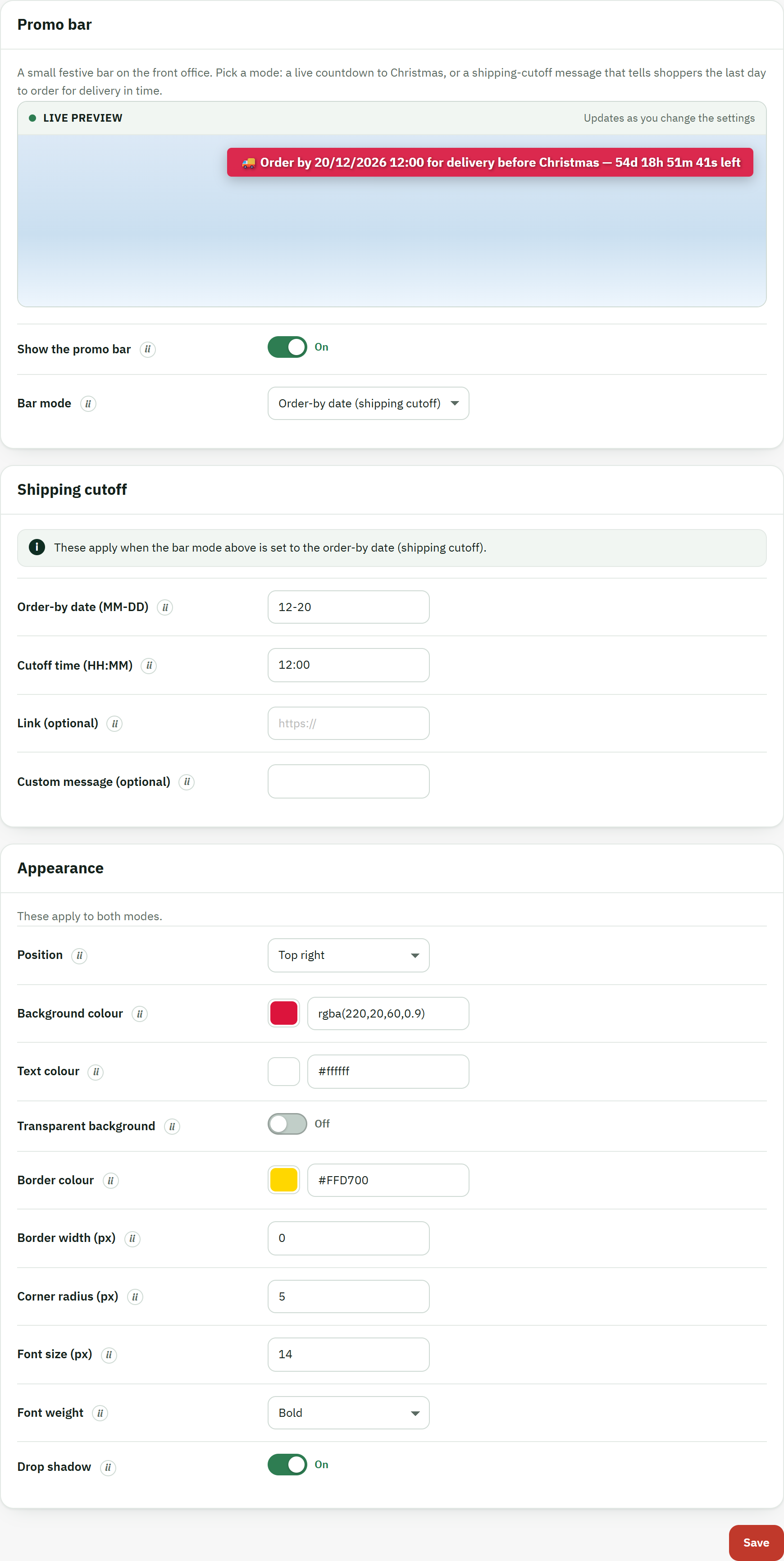
- The Promo bar section title, with the mode switch and the shipping-cutoff fields below it.
- The Save button, which stores the bar settings and refreshes the live preview.
On the storefront the bar sits quietly in the corner you chose and ticks down on its own, so the deadline feels real to the shopper.

- The promotion bar with its live countdown to the order-by deadline you set.
Gift wrap at checkout
Gift wrap lets shoppers add festive wrapping to their order, and it is built on PrestaShop's own gift-wrapping option — that is a feature, not a workaround. When you turn it on and save, White Christmas switches on the shop's native gift wrapping and keeps the price and tax in step with the fields here, so the cart and the order totals are computed by PrestaShop itself, exactly as if you had set gift wrapping in Shop Parameters › Order Settings.
Open Promotions › Gift wrap and set:
- Offer gift wrap at checkout — the master switch for the feature. It shows a festive reminder on the cart and the checkout and turns on PrestaShop gift wrapping.
- Use PrestaShop built-in gift wrapping — recommended; keep it on so PrestaShop handles the wrap price and tax and your totals and invoices stay correct.
- Gift wrapping price (tax excluded) — what PrestaShop charges for wrapping before tax;
enter
0to offer it free. - Gift wrapping tax rule — the tax rules group PrestaShop applies to that price (the same groups as in Localization › Tax Rules).
- Invite a gift message — mentions in the reminder that the shopper can add a personal gift message; PrestaShop shows the message box with its gift options at checkout.
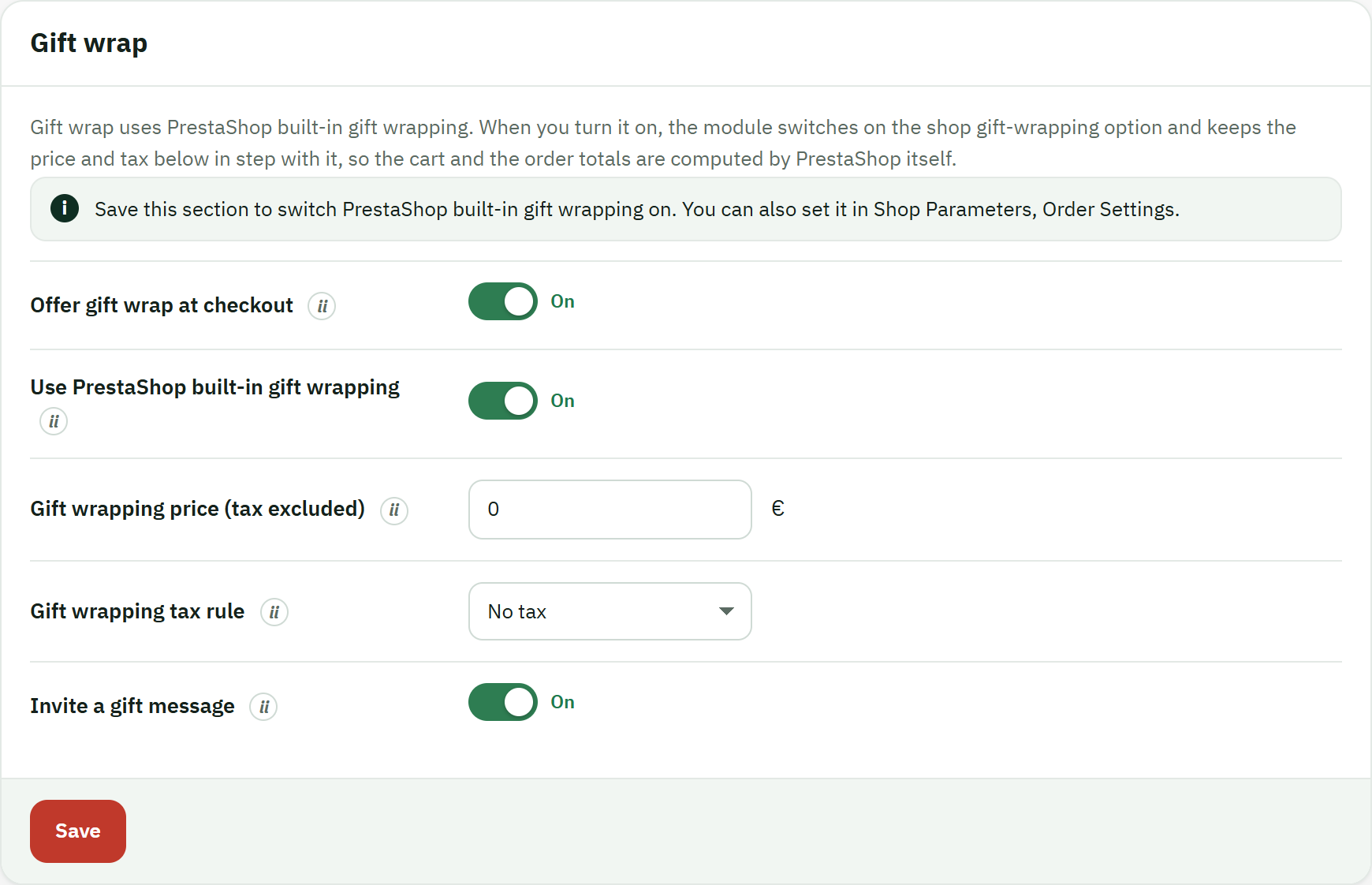
- The Offer gift wrap at checkout switch, which turns the feature — and PrestaShop's gift wrapping — on.
- The confirmation line telling you PrestaShop's built-in gift wrapping is active, so shoppers can choose gift wrapping during checkout.
- The Save button, which mirrors these settings into PrestaShop's own gift-wrapping configuration.
Because the wrapping is native, the actual wrap line, its price and its tax appear in PrestaShop's own gift block at checkout. White Christmas adds the festive Make it a gift reminder on the cart and the checkout so the option does not go unnoticed.
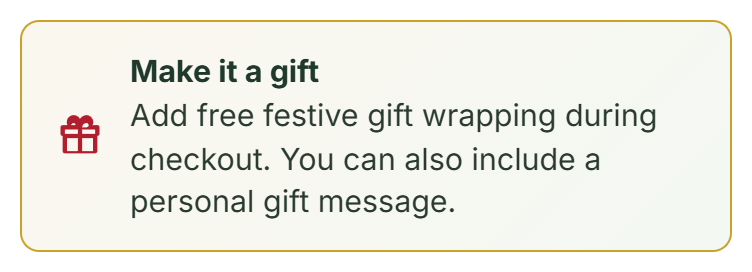
- The Make it a gift notice, which invites the shopper to add gift wrapping (and, if you allow it, a gift message) during checkout.
The surprise gift
The surprise gift is a small wrapped present that floats in a corner of your shop. A visitor clicks it to unwrap a festive card that reveals a discount code, with a one-tap Copy button.
One point matters above all others: White Christmas only displays a code you have already created. It does not create the voucher and it does not apply any discount — the discount is applied by PrestaShop when the shopper enters the code at checkout, exactly like any other voucher. So the order is always: create the cart rule first, then enter its code here.
- In Catalog › Discounts, create your voucher as a cart rule: give it
a code (for example
XMAS15), set the discount it grants, and any conditions you want. - In Promotions › Surprise gift, turn on Surprise gift and type that same code into Discount code. The present stays hidden until a code is entered.
- Optionally set the Card headline and Card message, choose a Position (which bottom corner the present sits in), and decide whether to Invite only until first opened; then Save changes.
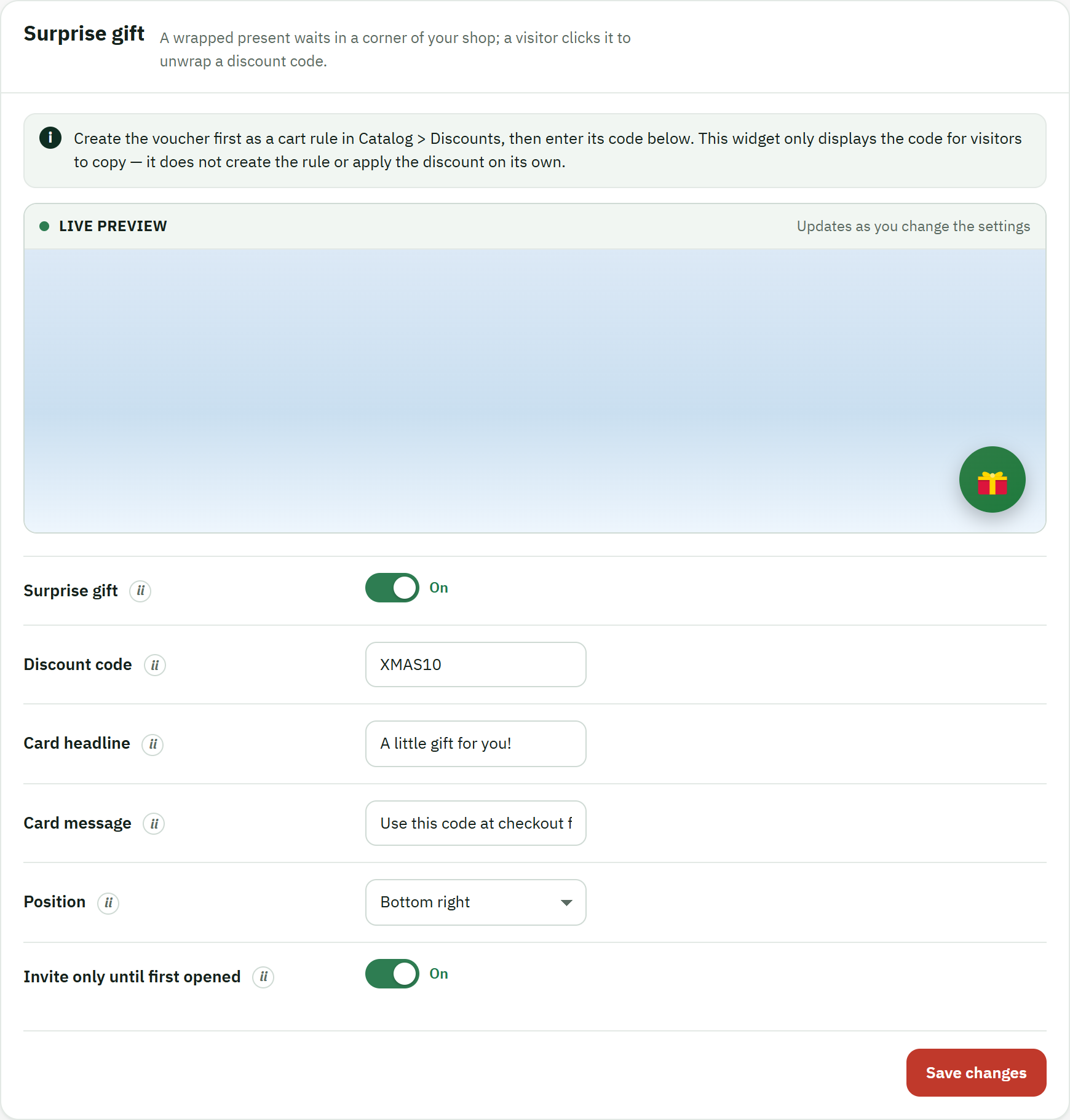
- The Surprise gift switch; with it on and a Discount code entered, the present appears on the storefront.
- The Save changes button, which stores your code, headline and message.
On the shop the present draws a little attention, then rests in its corner. When a visitor opens it, the card shows your headline and message, the code in a selectable field, and the Copy button that drops the code onto their clipboard, ready to paste at checkout.
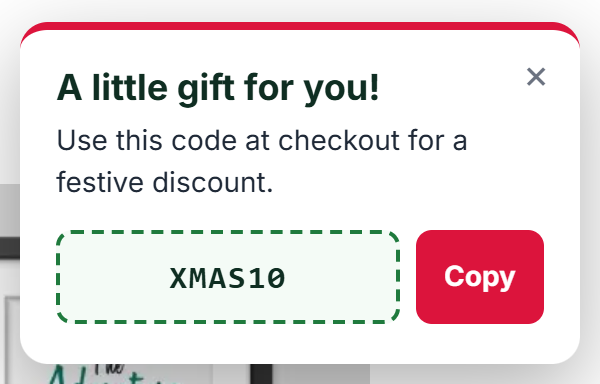
- The card headline you wrote, for example "A little gift for you!".
- The discount code field, which shows the code you created in Catalog › Discounts, ready to select.
- The Copy button, which copies the code to the shopper's clipboard in one tap.